+961

A Lebanese Blog

  • New OGERO DSL Prices Announced by General Director Imad Kreidieh

    Imad Kreidieh, the general director of OGERO, announced on his twitter account last night the new DSL prices that should soon be offered to the public once approved by the cabinet and they are as follows:

    • 2Mbps / Ulimited – 60,000L.L
    • 4Mbps / 40GB – 24,000L.L
    • Open speed / 50GB – 30,000L.L
    • Open speed / 100GB – 45,000L.L
    • Open speed / 150GB – 60,000L.L
    • HDSL / 100GB – 100,000L.L
    • Open speed / 200GB – 75,000L.L

    Note that open speed means as much as your phone line can handle. And according to the tests OGERO is currently conducting the speeds are reaching up to 10 and 12Mbps for people that are close to the exchange offices. As for free night quota, Kreidieh claimed it will not be available at this stage.

    Needless to say, any price reduction to the DSL service is good to us, and I believe these new prices are quite fair. What I also wish is to have the process of switching from one ISP to another made easier since it takes up to two months right now.

  • This is How I Built My Own Netflix At Home

    Ever since we had kids our life changed 180 degrees. With the new responsibilities, my wife and I began spending more time at home, going out less, and naturally started watching more TV at our place.

    At the beginning things were quite simple, whenever we had something interesting in mind I would go to some BitTorrent website, download the files, and then transfer them to a USB drive in order to watch them on TV. But as time went my collection became so big that I started losing of what’s on my hard drive, and having to use the USB stick each time I wanted to watch something became annoying. So I started searching for solutions and ended up building my own Netflix at home.

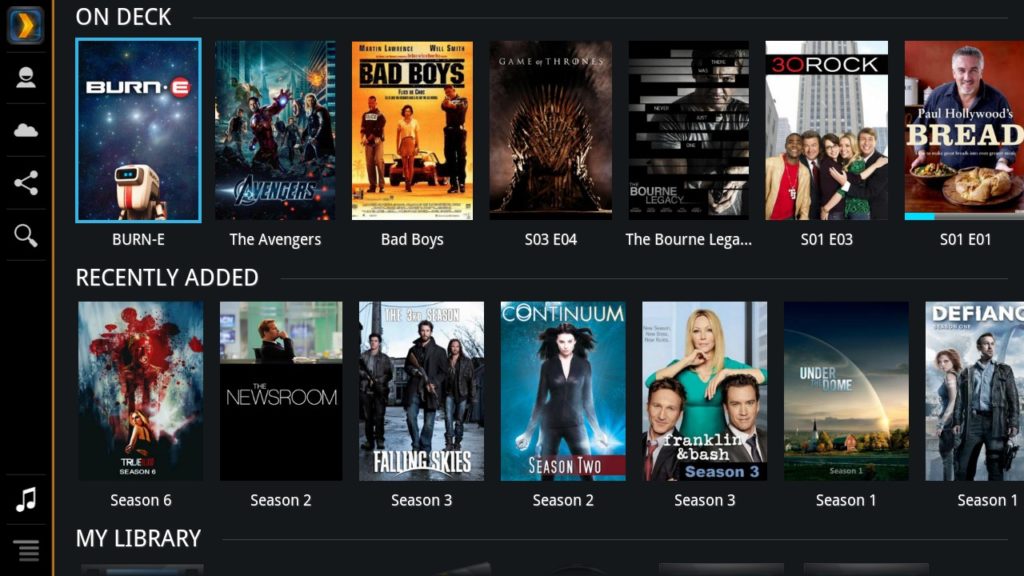
    Using my mobile I currently can browse everything I have ever downloaded on a sleek and nice interface (like the one above), and it only takes a second to play whatever I want on my TV which isn’t even a smart one!

    The reason I’m sharing how to do it is simply because the setup has always impressed my friends especially when they’re around to watch our favorite series, moreover it’s a convenient solution to control what your kids are watching instead of letting them browse YouTube and stumble upon horrible videos.

    Anyway, here’s all you need to set it up.

    A Faster Wi-Fi

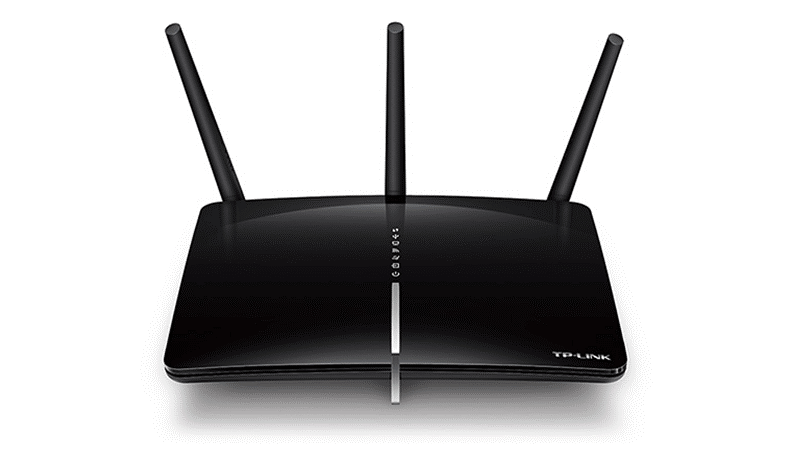
    Playing multimedia over your home network means you will need a relatively fast router. In my case the media I stream within my local network is almost all in Full HD resolution, so my home router has to cope with some good amount of bandwidth, which is why I opted to get a TP-Link Archer D5. It is a 1200Mbps ADSL modem router that runs on two channels simultaneously, a 300Mbps 2.4Ghz channel that I use for my older devices, and a 867Mbps 5.0Ghz channel that I dedicated for newer devices equipped with “fast” Wi-Fi adapters (802.11ac) and this is the channel that I use for media streaming to my TV. Another important detail to add is that it has Gigabit LAN ports.
    Network Attached Storage (NAS)

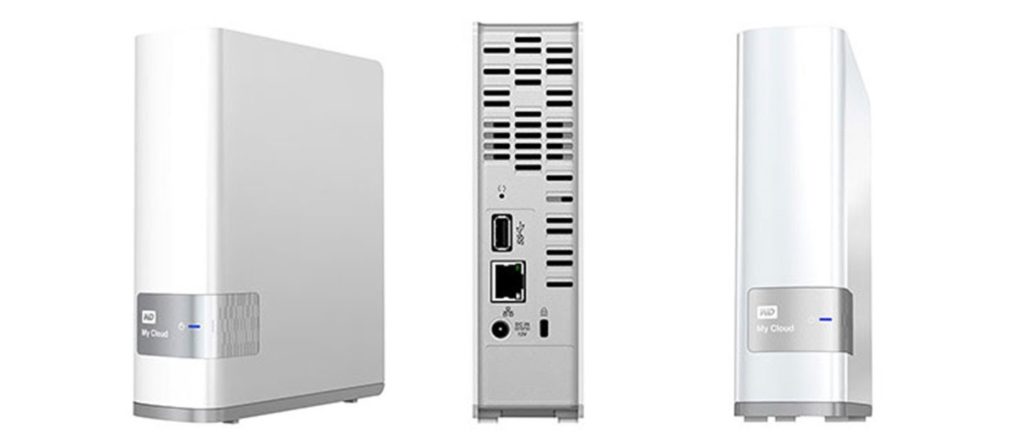
    A network storage is a hard drive that you connect to your home router via eithernet in order to acess your files from any device you have. Think of it as your own private Dropbox or Google Drive. The one I have is a 4TB Western Digital My Cloud box that I bought for ~$250 two years ago. Once you go past its easy setup, just map it to your computer in order for it to appear under “My Computer” (if you are using Windows) and from there on you can easily access it just like a regular drive to store your files on it. It’s very important for this storage box to also have a Gigabit ethernet port to ensure high speed file transfer.

    A NAS is not mandatory for the setup to work though and you can rely on your computer hard drive instead, but with HD movies having an average size of 3-4GB you can never have enough storage. I personally have a Lenovo Yoga 900 laptop with 256GB storage, so instead of storing downloaded files locally I transfer them to the NAS instead.
    Google Chromecast

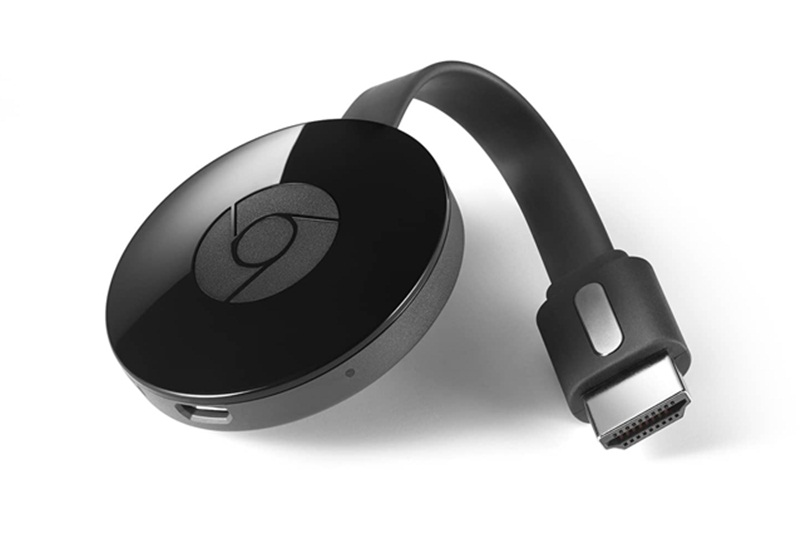
    I have a 46″ Samsung TV that I bought back in 2011 when smart TVs were not really a thing back then. Chromecast is a small device that you can plug to an HDMI port in your TV in order to be able to cast or mirror the things you see on your phone or laptop to the TV. It makes watching videos off the internet (whether on YouTube or reruns from TV websites) much cooler.
    Plex Media Server

    This is the software that does all the magic and you can download it for free from Plex.tv for both computers and mobiles. Setting up Plex is also quite easy, once your install it on your PC open it using your browser and point it to where you have all your media files stored (in my case the storage box), then just give it a bit of time to download the needed metadata which includes the plot of each movie or series episode you have, along with their posters and rating.
    Putting it All Together

    This is the easiest part, just lay back and make sure your computer is powered on since that’s where the Plex server will be running, and then launch the Plex app on your mobile to browse your catalog and cast whatever you want to your TV.

    What happens in the background can be summarized as follows, your mobile communicates with the Plex server on your computer, orders it to fetch the desired movie from your network storage and to mirror it on your TV via Google Chromecast.

    Tweaks

    • Instead of manually moving the new media files you download to the network drive, you can use small handy tools like SyncToy (using the option “contribute”) to automatically transfer newly downloaded files to the network.
    • Plex also has the capability to automatically download the matching subtitles for your media file, so you can turn on that option to save time searching on SubScene and the alike.
    • If you want to avoid keeping your computer on whenever you want to watch something, then you can buy a Raspberry Pi 3 (a small computer the size of a pack of cigarettes), install Plex server on it and then attach it to your router. This way you will make it act as a mini server on your network.
    • To avoid manually checking for new episode of your favorite series you can use special BitTorrent clients such as DuckieTV that can do this automatically for you.
    • Since Plex allows creation of multiple channels with different content each, I created a special channel for my little boy with cartoon and animated stuff and just taught him how to use the Plex App on his iPad. This way I can control what he watches and avoid these sick videos on YouTube.

    And this is pretty much it! If you intend to build something similar and needed some help then just let me know in the comments.
  • Awesome Aerial Video From Around Lebanon

    I know YouTube is infested with Lebanese drone shot videos but some just stand out and are too good not to share. The one below is produced by Dark Matters and is available in UHD resoultion, so if you have a suitable display and a hopefully fast connection just let it load in 4K and enjoy the cool shots and music.

  • Divvy Showed Labor Day Love to One of Their Employees

    It’s always nice to have all the effort you put into your job recognized by your employer, let alone getting rewarded with a trip to your dream destination!

    For labor day, Divvy tricked one of their employees into thinking they were filming a short documentary and surprised him with a trip to Greece for all the good feedback they were receiving from their customers about him.

    They definitely went the extra mile with their gesture but it is such things that help make employees feel a sense of belonging to their workplace and probably think twice before moving elsewhere.

  • LEGO Emoji Art in Beirut

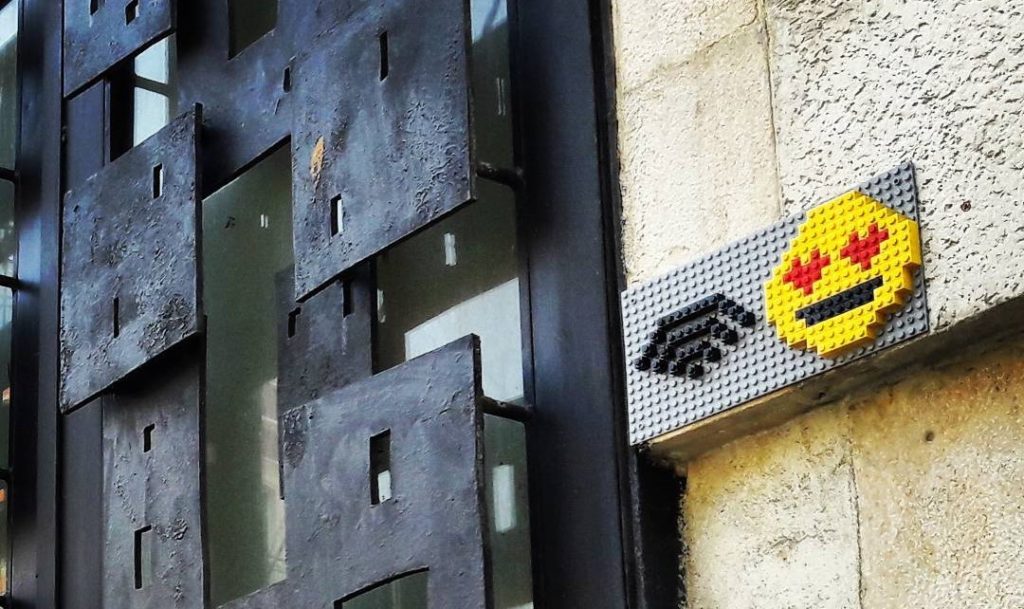
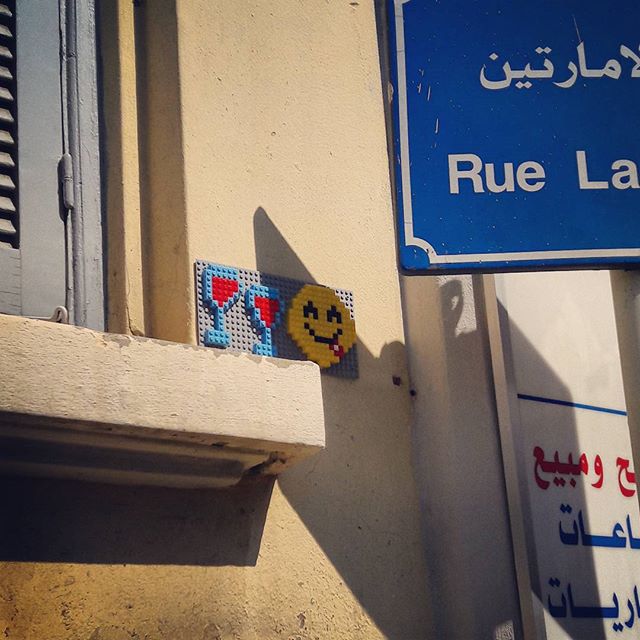
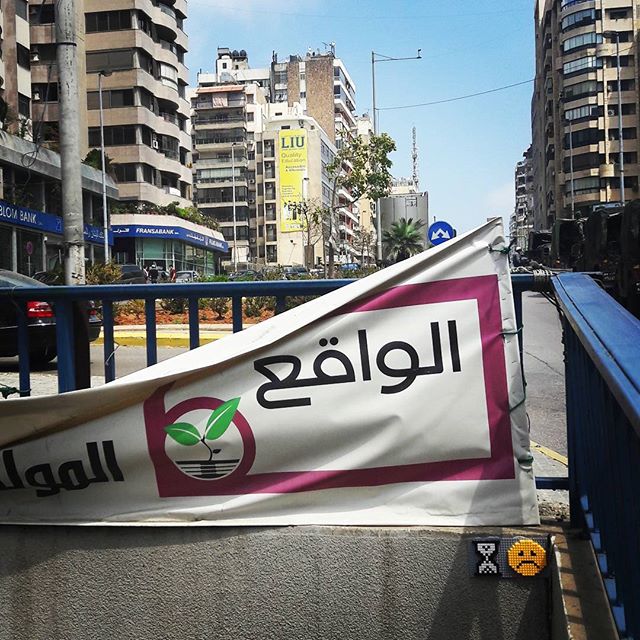
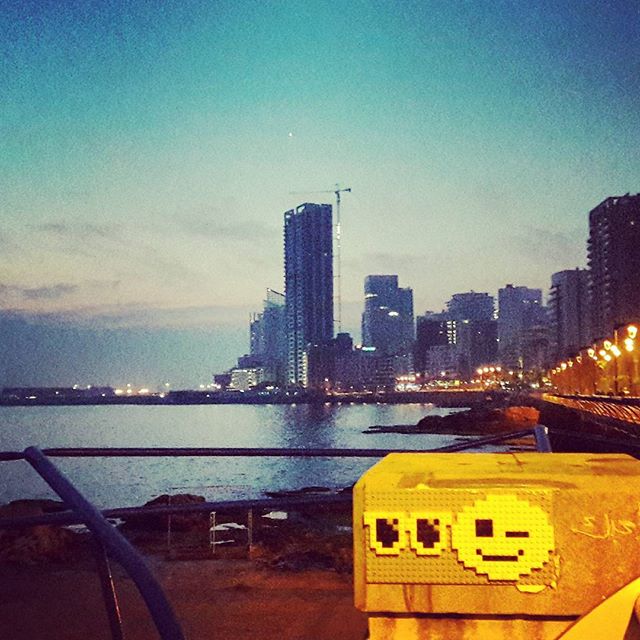
    Someone going by the handle “LemojiArt” on Instagram contacted me today to inform me about a visual project they’re working on which involves building LEGO Emojis (hence the word lemoji) and sticking them around Beirut. I can’t really explain the point of the project other than bringing a smile to passers by and I personally liked it.

    Among the lemojis made so far my favorite is the one at Salim Salam tunnel since I get stuck there everyday! (I wouldn’t have noticed it by myself though if it wasn’t for the photo due to its small size)

    Mar Mkhayel

    Salim Salam

    Ain El Mrayyseh

    I have no idea about the real identity of the artist as he/she prefered to remain anonymous, but all I know is that the project will not be limited to Beirut alone and will soon “invade” other cities, so stay tuned to LemojiArt.

  • Taxi Booking Apps Now Cost Less Than Regular Taxis in Lebanon

    It’s been a while since I last used a ride hailing app around Beirut, and when I recently booked a Careem last Saturday it caught my attention that they currently charge 6,000L.L for rides within Beirut which is less than the standard fare you pay for other regular Taxis (10,000L.L / ride). I later checked UBER and noticed that they are charging a similar low fare as well.

    I know the price difference doesn’t matter much with people who rarely use taxi cabs to commute, but those who do it frequently will definitely save some good money using mobile apps. My wife for example take cabs 3 to 4 times a week and I already convinced her to use Careem since it is my favorite booking app locally.

    Talking about Careem, they recently announced integration with Google Maps, so you can see the estimated time of arrival as well as a fare estimate when you search for some location on Google Maps which can be quite useful. To try it out you can simply choosing the ride-hailing icon when searching for directions, then clicking “Open App” to launch Careem and book your ride.

    I know the use of apps is to some associated with paying premium prices, but in the case of taxi booking apps it is not, so give it a try.

    Photo via Flickr

  • Lebanon Ranks 99th in World Press Freedom Index – 2nd Among Arab Countries

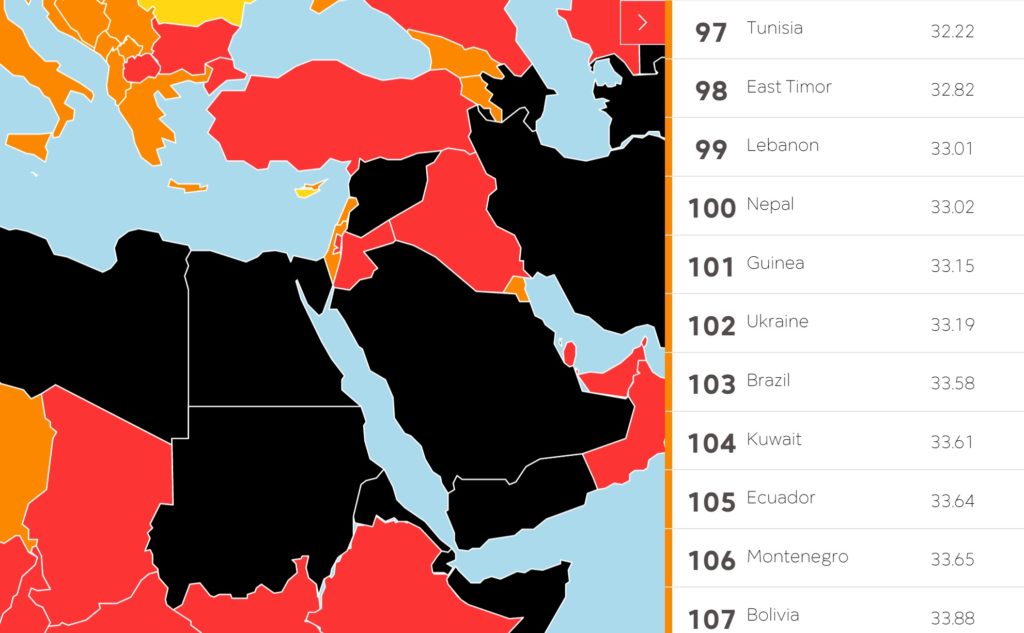
    Reporters without borders issued their yearly World Press Freedom Index and Lebanon came in the 99th place among 180 countries (dropping 1 spot since last year) and in the 2nd place among the Arab countries behind Tunsia.

    Here’s what they had to say about the state of press in Lebanon:

    Lebanon’s media are outspoken but also extremely politicized and polarized. Its newspapers, radio stations, and TV channels serve as the mouthpieces of political parties or businessmen. Lebanon’s criminal code regards defamation and the dissemination of false information as offenses. Journalists who are prosecuted and convicted by a “print media court” are usually fined, but a prison sentence is still legally possible. Bloggers and online journalists may receive summonses from the “bureau for combatting cyber-crimes” if something they have posted on a social network elicits a complaint from a private party.

    Morevoer, below is a list of some Arab countries compared to us:

    97 – Tunisia
    99 – Lebanon
    104 – Kuwait
    119 – UAE
    123 – Qatar
    126 – Oman
    138 – Jordan
    158 – Iraq
    161 – Egypt
    164 – Bahrain
    165 – Iran
    166 – Yemen
    168 – Saudi Arabia
    177 – Syria

    The country with the freest media turned to be Norway, followed by Sweden, Finland and Denmark, while North Korea came at the bottom of the ranking.